Overview
Students learn C++, the language behind most game engines and much high-performance software, by writing programs that draw, animate and respond to the keyboard and mouse. They use SDL3, a free library used by professional game developers for windows, graphics, input and sound. The course is based on the university programming and game-engine courses I have taught, simplified for secondary students.
Objectives
- Write, compile and run C++ programs, and understand the error messages a compiler gives (thinking and self-management skills).
- Use variables, decisions, loops, arrays, functions and structures to organise a program (thinking skills).
- Apply mathematics, such as coordinates, vectors and collisions, to motion on screen (thinking skills).
- Plan, build and present a small game (self-management and communication skills).
Scheme of work
This ten-lesson outline is tentative. The order and pace of lessons will be adjusted to the students' ages, experience and interests.
| Lesson | Focus | Students build or do | ATL skill |
|---|---|---|---|
| 1 | Compile and run | Open a window from the starter template; change its size and colour | Self-management: following a process |
| 2 | Drawing | Draw shapes with variables for position and size | Thinking: planning with coordinates |
| 3 | The game loop and input | Move a shape with the keyboard | Thinking: change over time |
| 4 | Decisions and collisions | Keep the shape on screen; detect when two shapes touch | Thinking: cause and effect |
| 5 | Loops and arrays | Draw and move many objects at once | Thinking: spotting patterns |
| 6 | Functions and structures | Organise the program into a "ball" and a "paddle" | Thinking: breaking problems into parts |
| 7 | Motion with vectors | Velocity, bouncing and angles | Thinking: applying mathematics |
| 8 | Images and sound | Add pictures and sound effects | Research: finding and using resources |
| 9 | Mini project | Build a Pong-style game and make it feel lively | Self-management: planning a project |
| 10 | Show and tell | Classmates and families play the games; each student explains one part of their code | Communication: explaining technical ideas |
Lesson structure (60 minutes)
| Minutes | Stage | What happens |
|---|---|---|
| 5 | Warm-up | A short code-reading puzzle; recap of last week |
| 15 | New idea | One new idea, written live and explained |
| 30 | Make | Students extend the starter code and test it |
| 10 | Share and reflect | Quick demonstrations; one bug found and how it was fixed |
Mixed grades: levels A, B and C
- Level A: complete the guided example and make small changes.
- Level B: add a new feature to the example.
- Level C: design an original program or game using the lesson's idea.
Older students and those with earlier programming experience will usually work at Level C.
Potential competitions
Students who enjoy the course could take part in two SIMCC contests in computational thinking and programming, both open to secondary grades: Bebras (usually February) and the International Junior Informatics Olympiad (usually April–May).
Requirements
- Devices: student Mac laptops.
- Software: Xcode Command Line Tools and the SDL3 library, installed before the first lesson using step-by-step instructions I provide, plus a starter template.
- Room: any classroom.
Expected outcomes
By the end of the course, students will have written several C++ programs and a small game of their own, and should be able to explain how the game loop, input and collisions work in their code. The course gives a real foundation in a professional programming language. No previous programming experience is needed.
See it in action
-
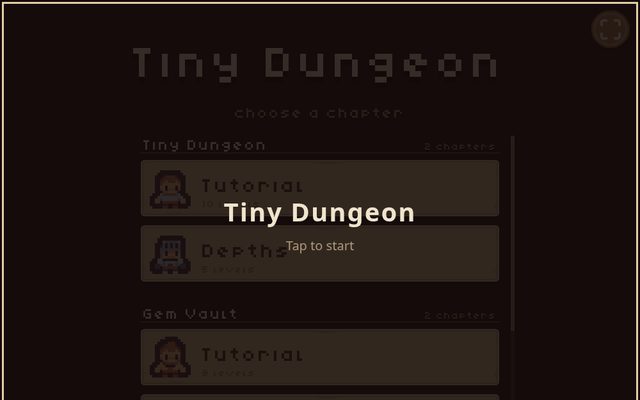 Tiny Dungeon
A small dungeon game I wrote in C++ and compiled to run in a web browser.
-
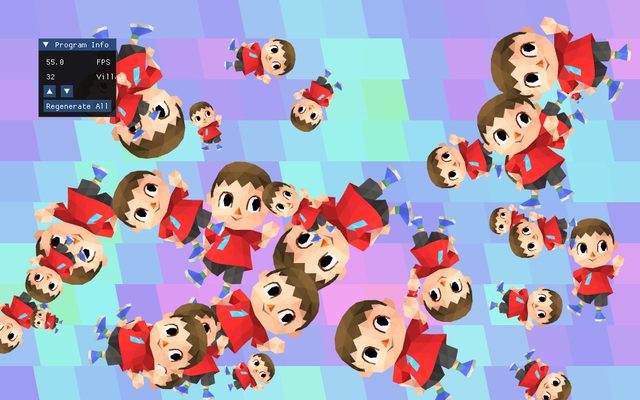 Graphics demo
An OpenGL graphics demo I made for a university course: dozens of 3D characters drawn by one loop, in the browser.
-
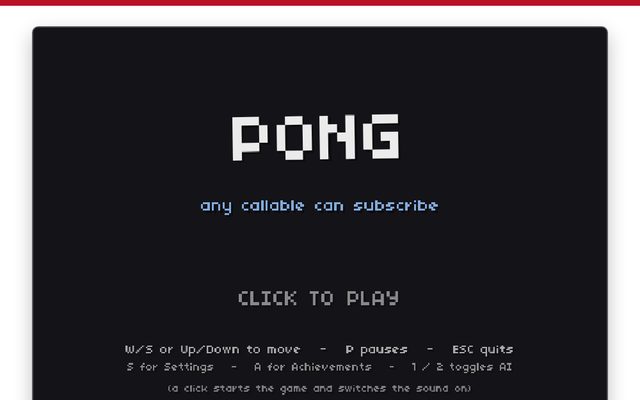 Pong
Pong in C++, compiled to WebAssembly so it runs in a browser and installs like an app.