Overview
Students work in small teams, like a real game studio, to design, build, test and launch their own game. Each team member takes a role: designer, artist, programmer or producer. Together they apply what they learn in class, including mathematics for movement and scoring, art for characters and worlds, writing for the story, and teamwork and communication to bring it all together. No coding experience is needed: much of the work happens on paper, and programmers start from a ready-made template in p5.js. The course follows the structure of the university team game-project courses I have helped teach and now teach, simplified for school students.
Objectives
- Turn an idea into a plan: a pitch, a paper prototype and a list of what to build first (thinking and self-management skills).
- Apply mathematics, art and writing in one project: movement and scoring, characters and levels, and a story (thinking skills).
- Work in a team with clear roles, give and receive feedback, and solve disagreements (social skills).
- Present the finished game and explain how the team made it (communication skills).
Scheme of work
This ten-lesson outline is tentative. The order and pace of lessons will be adjusted to the students' ages, experience and interests.
| Lesson | Focus | Students build or do | ATL skill |
|---|---|---|---|
| 1 | What makes a game fun? | Play and discuss simple games; form teams and choose roles | Social: forming a team |
| 2 | The pitch | Choose a theme; write and present a one-sentence game idea | Communication: pitching an idea |
| 3 | Paper prototype | Make the game on paper and test it with another team | Research: testing with players |
| 4 | Art and world | Draw characters and levels on paper, then bring them into the game | Thinking: design choices |
| 5 | Build 1 | Programmers build the core mechanic from a template; others prepare art and levels | Self-management: dividing the work |
| 6 | Build 2 | Add movement and scoring, using coordinates, speed and counting | Thinking: applying mathematics |
| 7 | Playtest circle | Teams rotate, play each other's games and write feedback | Social: giving and receiving feedback |
| 8 | Polish | Act on the feedback; add sound and visual effects | Self-management: prioritising |
| 9 | Launch preparation | Final test; make a poster or short trailer | Communication: presenting to an audience |
| 10 | Launch day | Families play every team's game; each team presents how it made the game, including what went wrong and how it was fixed | Communication: presenting |
Lesson structure (60 minutes)
| Minutes | Stage | What happens |
|---|---|---|
| 5 | Studio stand-up | Each team says what it did last week and what it will do today |
| 15 | New idea | One game-design or programming idea, with an example |
| 30 | Studio time | Teams work in their roles, on paper and on screen |
| 10 | Share and reflect | One team shows progress; everyone notes one thing learned |
Mixed grades: levels A, B and C
Teams can mix ages, because the roles suit different strengths: younger students often lead art and design, and older students programming and production. Each team chooses how ambitious its game will be:
- Level A: a one-screen game built from the template, with the team's own art and rules.
- Level B: the template extended with new mechanics, levels or scoring.
- Level C: an original game designed from scratch.
Requirements
- Devices: student iPads with keyboards (Grades 4–5) or Mac laptops (Grades 6–12). The games run in the browser, so both work.
- Materials: paper, card, coloured pens and pencils for prototypes and art.
- Room: any classroom with tables that teams can gather round.
Expected outcomes
By the end of the course, each team will have designed, built, tested and launched a playable game, and each student will have contributed through their role. Students should be able to explain how their game works, what feedback changed it, and what they would do next time. The course builds teamwork, planning and presentation skills alongside creative and technical ones.
See it in action
-
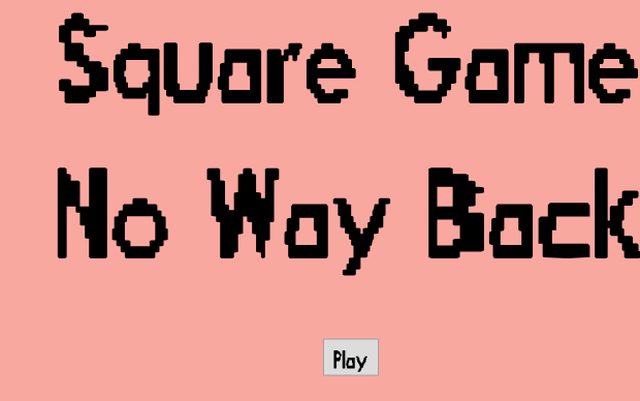 Square Game: No Way Back
Made at a game jam with my children Shinyu (game and level design) and Hayu (art and voices), now OWIS students. It has a built-in level editor.
-
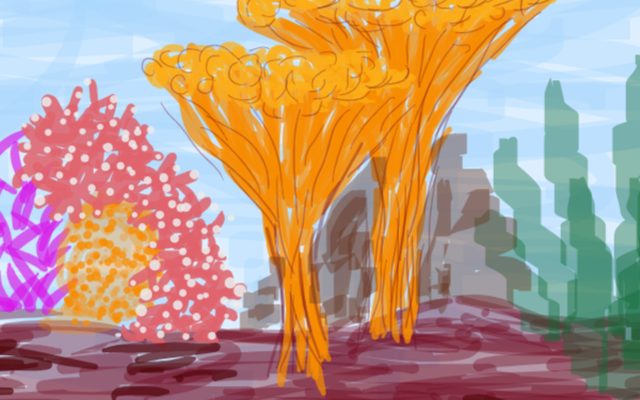 Grow Fish Grow
A family game-jam entry for the theme "Start Small": eat smaller fish to grow.
Game jams I have hosted
- Game Jam, Summer 2024 Theme: "Start Small"
- Game Jam, February 2025 Theme: "Find It, Protect It"
- Game Jam, August 2025 Theme: "One Time Use"