Overview
Students learn to program by drawing, animating and making things interactive. They use p5.js, a free creative-coding library for JavaScript that artists and designers use to make interactive art, through the p5.js web editor on their iPads. Every lesson ends with something on screen that the student made and can explain. The course is adapted from my university introduction to programming and a five-day p5.js workshop I taught for high-school students.
Objectives
- Use coordinates, shapes and colour to plan and draw a picture with code (thinking skills, with mathematics).
- Use variables, loops, decisions and functions to make drawings animate and respond (thinking skills).
- Find and fix mistakes by reading what the program does (self-management: perseverance).
- Show and explain their work to classmates (communication skills).
Scheme of work
This ten-lesson outline is tentative. The order and pace of lessons will be adjusted to the students' ages, experience and interests.
| Lesson | Focus | Students build or do | ATL skill |
|---|---|---|---|
| 1 | Shapes and coordinates | Draw your favourite food with circles, rectangles and lines | Thinking: planning on a grid |
| 2 | Colour and variables | Draw a character whose size and colour you can change | Thinking: naming and reusing values |
| 3 | Animation | Make the character move across the screen | Thinking: change over time |
| 4 | Touch input | Make the drawing follow or react to a finger | Research: testing what happens |
| 5 | Decisions | "Four Square": colour the square you touch; a bouncing ball | Thinking: cause and effect |
| 6 | Loops | Draw patterns, grids and a flower garden with loops | Thinking: spotting patterns |
| 7 | Functions | Turn the flower into a function and draw a whole garden | Thinking: breaking problems into parts |
| 8 | Randomness and particles | Fireworks or confetti that burst where you touch | Thinking: experimenting |
| 9 | Mini project | Plan and build an interactive card, toy or simple game | Self-management: planning a project |
| 10 | Gallery | Each project runs on its maker's iPad; families and classmates try them and leave written feedback | Communication: presenting and giving feedback |
Lesson structure (60 minutes)
| Minutes | Stage | What happens |
|---|---|---|
| 5 | Warm-up | Sketch on paper what we will make today; recap of last week |
| 15 | New idea | One new idea, built live, step by step |
| 30 | Make | Students build their own version and extend it |
| 10 | Share and reflect | Two or three students show their work; one thing learned |
Mixed grades: levels A, B and C
- Level A: rebuild the example and change its colours, sizes and positions.
- Level B: add a new behaviour to the example.
- Level C: design an original piece that uses the lesson's idea.
Each exercise has a short checklist with the core requirements marked, so every student knows when they have finished and what to try next.
Potential competitions
Students who enjoy the course could take part in two SIMCC contests in computational thinking and programming: Bebras (usually February) and the International Junior Informatics Olympiad (usually April–May). Both are open to all primary grades.
Requirements
- Devices: student iPads with keyboards. Typing code on a touch screen is slow, so a keyboard makes a big difference.
- Software: the p5.js web editor in the iPad browser, with no installation or student accounts.
- Room: any classroom.
Expected outcomes
By the end of the course, students will have written ten small programs and one project of their own, and should be able to explain how coordinates, variables, loops and decisions make their drawings work. The course gives a confident start in programming that carries over to later courses, including Creative Coding with C++ and Game Studio.
See it in action
-
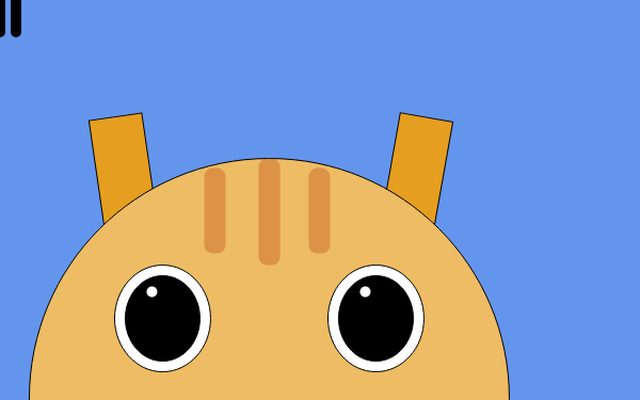 Animated cat
From my 2021 p5.js workshop for high-school students: a character built from simple shapes.
-
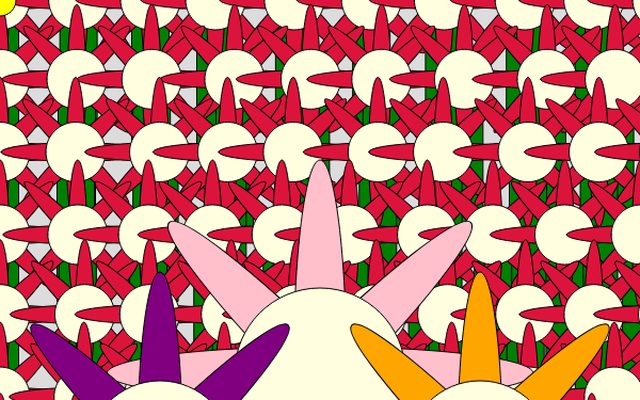 Flower garden
Also from the workshop: one flower function and a loop make a whole garden.
-
 Snowflakes
Hundreds of falling snowflakes from one array and a loop.
-
 Heart
A heart drawn with curves: shapes and coordinates in action.